


Automating your Google Ads management is about letting technology—AI, rules, and scripts—take over the tedious but critical tasks like bidding, ad testing, and budget shifts. For a law firm, this isn't just about convenience. It’s a strategic move to save precious time, eliminate costly mistakes, and channel your marketing dollars toward the high-value leads that actually turn into signed cases.
Think of it as moving from manually adjusting dials to setting the coordinates and letting a smart system pilot the ship.

Why Automation Is a Competitive Necessity
Let's be blunt: the days of painstakingly adjusting keyword bids by hand are long gone. In a cutthroat space like legal services, a manual approach just can't keep up. Automating your Google Ads isn't a luxury anymore; it's a fundamental requirement to stay competitive on a platform that gets more complex by the day.
This is because Google's ad platform is now AI-first. With campaign types like Performance Max becoming standard, we're now feeding the system our goals and creative assets, then letting its AI handle the complex bidding and placement decisions. The platform crunches thousands of real-time signals for every single auction—far more data than any person could ever hope to process.
The Core Benefits for Your Law Firm
For law firms, the payoff from embracing automation directly hits the bottom line. It's about making your marketing more efficient and effective.
- Free Up Billable Hours: Your team's expertise is best used for legal strategy and client communication, not for getting lost in ad dashboards. Automation takes care of the repetitive, time-draining work.
- Minimize Costly Errors: One simple mistake—like forgetting to add a negative keyword or setting a bid too high—can burn through thousands of dollars in a flash. Automation acts as a safety net against human error.
- Achieve Superior Results: AI-powered bidding analyzes countless variables like user intent, device, location, and time of day to set the perfect bid for each potential client. In most cases, it will outperform even the most experienced human manager.
The goal isn't to "set it and forget it." Automation shifts your role from a hands-on tactician to a high-level strategist. You're no longer pulling levers; you're guiding the AI toward your firm's specific client acquisition goals.
This guide is your playbook for putting these tools to work with confidence. We'll skip the jargon and give you a clear roadmap, covering everything from Google's built-in Smart Bidding to more advanced custom scripts. The reality is that how AI is changing law firm marketing is a massive shift, and getting a handle on it is the first step to gaining an edge. You’ll learn how to pick and deploy the right automation for your practice areas, making sure your ad spend works smarter, not just harder.
Building a Rock-Solid Foundation for Automation
Let's get one thing straight: trying to automate a messy Google Ads account is a recipe for disaster. It's like building a house on a shaky foundation. Before you even think about handing the keys to an algorithm, you have to get your own house in order. This isn't an optional step; it's the critical work that separates a successful automation strategy from a very expensive failed experiment.
The whole game of Google Ads automation comes down to one thing: data quality. If you feed the machine garbage data, you're going to get garbage results. It's that simple. Your first and most important job is to make sure your conversion tracking is absolutely flawless.
Dialing in Your Conversion Tracking
For any law firm, a lead is not just a lead. A form submission from a law student doing research is fundamentally different from a 15-minute phone call from a potential client who was just in a serious car accident. Your tracking has to teach the algorithm to know the difference.
This means you’ve got to move past the basics and get a more sophisticated setup in place.
- Go Beyond Form Fills: Tracking form submissions is a start, but it's only a small piece of the story. You need to be tracking every meaningful action a potential client takes—especially phone calls from your ads, calls initiated from the website, and even live chat sessions that lead to a scheduled consultation.
- Implement Enhanced Conversions: This is a must. Enhanced Conversions for leads securely sends hashed, first-party data (like an email address from a form) to Google. It helps close the data gaps caused by cookie limitations, giving the algorithm a much clearer picture of who is converting and how to find more people just like them.
- Track Offline Conversions: This is the holy grail for a law firm. The most valuable event is a signed retainer. By integrating your CRM (like Clio, MyCase, or Lawmatics) with Google Ads, you can import this data. Doing this tells the bidding algorithm which keywords and ads actually turned into paying clients, not just tire-kickers.
This CRM integration is what you should be striving for. When the algorithm knows the difference between a lead that ghosted you and one that resulted in a six-figure case, it can optimize your campaigns with a level of precision that’s impossible to achieve manually.
The Power of Assigning Real Value
Once you're tracking all these different actions, the next move is to assign a dollar value to each one. This is what really unlocks the power of bidding strategies like Target Return on Ad Spend (tROAS), where you tell the AI exactly how much case value you want to generate for every dollar you spend on ads.
Here’s a practical example of how a personal injury firm might set this up:
- Website Form Fill: You know that roughly 1 in 20 of these become a solid case, so you might assign a starting value of $100.
- Qualified Phone Call (over 2 mins): This lead is warmer and more likely to convert, so you assign it a higher value of $500.
- Signed Case (from CRM): This is the jackpot. You can assign the actual or estimated case value, which could be $15,000 or more.
With this kind of data flowing, Google’s AI is no longer just chasing the cheapest leads. It's actively hunting for the clicks that are most likely to result in high-value cases, completely changing the economics of your ad spend.
Why a Logical Campaign Structure Matters
The last piece of the foundation is your account structure. An account that’s a tangled mess of ad groups and overlapping keywords will just confuse the automation. The AI needs a clear, logical hierarchy to understand the relationship between your services, keywords, and ads.
A clean structure is a direct performance booster. For a law firm, this usually means organizing campaigns by practice area, then breaking those down into ad groups by specific case types and, often, by location.
For example, a well-structured PI firm account might be set up like this:
- Campaign: Personal Injury – Los Angeles
- Ad Group: Car Accident Lawyer LA
- Ad Group: Truck Accident Attorney LA
- Ad Group: Motorcycle Accident Lawyer LA
This clean separation keeps your ad copy hyper-relevant to what people are searching for and gives the AI crystal-clear performance data for each service you offer. By putting in the work to get your tracking and structure right before you automate, you're setting yourself up for a powerful, effective, and profitable Google Ads machine.
Choosing the Right Google Ads Automation Tools
With your account properly structured, it's time to pick the tools that will actually do the heavy lifting. Automating Google Ads isn't a one-size-fits-all deal. It's more of a spectrum, starting with simple, built-in features and going all the way to custom-coded engines. For a law firm, the best choice really boils down to your goals, your budget, and how much hands-on control you want to keep.
Your best starting point is almost always Google's own native tools. They're powerful, free, and already baked right into the platform you're using every day.
Start with Google's Smart Bidding
Think of Smart Bidding as the AI brain powering Google Ads. It uses machine learning to chase conversions or conversion value in every single ad auction. Instead of you manually setting keyword bids, you just tell Google what you're trying to achieve, and its algorithm takes the wheel. It adjusts bids on the fly, using countless signals to make decisions in real-time.
It's no secret that advertisers are leaning heavily on this. A huge chunk of ad spend now goes to strategies like Maximize Conversions and Target ROAS. In fact, over 62% of Google Ads professionals use Smart Bidding because it's like having an optimizer working for you 24/7.
For law firms, this is a game-changer for lead generation. Combine it with a solid remarketing strategy, and you can see a serious lift in conversion rates. You can explore more Google advertising insights on pixis.ai to get a sense of how the industry is trending.
Here are the strategies that make the most sense for law firms:
- Maximize Conversions: This one does exactly what it says: it tries to get you the most leads possible within your daily budget. It’s a great starting point for high-volume campaigns, like a mass tort or class action lawsuit where you need to cast a wide net.
- Target CPA (Cost Per Acquisition): With this, you set a specific price you're willing to pay for a new lead, and Google's job is to hit that average. This works perfectly for firms that have a clear, fixed budget per qualified case, common in areas like family law or bankruptcy.
- Target ROAS (Return on Ad Spend): This is the most sophisticated option because it requires you to track the actual value of your conversions. You tell Google you want a specific return—say, $5 in case value for every $1 spent on ads—and it will hunt for those high-value leads.
Pro Tip: Don't flip the switch to Target CPA or Target ROAS on a brand new campaign. Let it run on Maximize Conversions first. You need to give the algorithm enough data to learn what a good lead looks like for you—aim for at least 30-50 conversions over a 30-day period before giving it a specific performance target.
Level Up with Automated Rules
Automated rules are like a tireless assistant who never takes a break. They're simple "if-then" commands you can build right inside Google Ads to automatically make changes based on criteria you set. They aren’t as smart as Smart Bidding, but for routine, rules-based tasks, they are incredibly effective.
For a law firm, this is a fantastic way to handle budget management and basic campaign hygiene without having to live inside your account.
Real-World Example An Automated Rule for Law Firms
Let's say you're running a personal injury campaign and notice some keywords are eating up your budget without bringing in any leads. You could create a rule that runs every morning and does this:
- Condition: If a keyword has spent more than $200 in the last 30 days AND has 0 conversions.
- Action: Pause that keyword and shoot an email notification to the marketing manager.
This one simple rule stops budget waste in its tracks, and you didn't have to lift a finger to find the problem.
Unlock Custom Solutions with Google Ads Scripts
When you need more power and flexibility than automated rules can offer, Google Ads Scripts are the next logical step. Scripts are just snippets of JavaScript code that give you programmatic control over your account. It sounds intimidating, but you don't have to be a developer. The internet is full of pre-built scripts you can copy, paste, and tweak with minimal effort.
A great use case for a law firm is managing ad performance with more precision. For instance, a script could run every night and check the click-through rate (CTR) of all your ads. If an ad's CTR drops below a certain point (like 2%) after getting a decent number of impressions, the script could automatically pause it and send you an alert. That's your cue to write a better ad.
When to Consider Third-Party Platforms
Finally, we have the world of specialized third-party platforms like Optmyzr, Adalysis, or Shape. These tools offer a whole suite of advanced automation features, beautiful reporting dashboards, and optimization tips that go way beyond what Google Ads offers out of the box.
So, when does it make sense to pay for one?
- You're Managing Large, Complex Accounts: If your firm has multiple office locations, dozens of practice areas, and a massive ad spend, these platforms can save you an incredible amount of time and uncover insights you'd otherwise miss.
- You Need Advanced Reporting: Their dashboards are often far more intuitive and customizable than the standard Google Ads interface, making it easier to show results to partners.
- You're Implementing Sophisticated Strategies: For heavy-duty tasks like n-gram analysis to find negative keywords or advanced budget pacing across campaigns, these tools are built for pros.
These platforms are a financial investment, so they're usually a better fit for firms with a well-established and sizable PPC program. For a deeper look at how these and other platforms can fit into your firm's strategy, check out our guide on the top AI tools for legal marketing.
Comparing Google Ads Automation Options
To make the decision a bit easier, here’s a quick breakdown of the four main automation methods. This table should help you figure out which tool is the right fit for your firm's specific needs based on how much control you want, what you're willing to spend, and how complex your campaigns are.
| Method | Level of Control | Cost | Ideal Use Case |
|---|---|---|---|
| Smart Bidding | Low (Algorithm-driven) | Free | Optimizing bids for conversions or value in real-time. Perfect for most firms. |
| Automated Rules | Medium (Rule-based) | Free | Handling routine, repeatable tasks like pausing poor performers or adjusting budgets. |
| Google Ads Scripts | High (Code-based) | Free | Creating custom alerts, performing bulk changes, and integrating with external data. |
| Third-Party Tools | High (Platform-driven) | Paid Subscription | Managing large-scale accounts, advanced reporting, and cross-platform optimization. |
Ultimately, picking the right tool from this spectrum is about matching the solution to your firm's unique needs and ambitions for growth. You don't have to jump straight to the most complex option; start with what makes sense now and scale up as your success grows.
Rolling Out Your Automation & Keeping a Watchful Eye
This is where the rubber meets the road. Moving from a plan on paper to a live, automated system requires a careful rollout, constant monitoring, and some crucial safety nets to protect your firm's ad spend. Automating your Google Ads isn't about flipping a switch and walking away; it's about launching intelligently and maintaining control.
The first few weeks after you go live with a new automation strategy are the most important. This is especially true if you're turning on one of Google’s Smart Bidding strategies, like Target CPA or Maximize Conversions. You have to respect the algorithm's "learning period."
For about one to two weeks, the system is just drinking from a firehose of data, trying to figure out bidding patterns and user behavior for your specific campaigns. If you make any big changes during this time—like messing with your budget by more than 20% or swapping out conversion actions—you're making a huge mistake. You’ll essentially reset the learning curve, forcing the algorithm to go back to kindergarten.
Setting Up Proactive Monitoring and Alerts
A huge part of making automation work is knowing exactly when you need to step in. It’s one thing to trust the system, but you have to verify its performance with your own smart oversight. Think of custom alerts and anomaly detection as your first line of defense against any weird performance shifts.
You can set up automated rules that basically act as your 24/7 account watchdog. These rules can shoot you an email the second a key metric goes sideways, letting you investigate before a small blip turns into a big, expensive problem.
Here are a few practical alerts I've set up for law firms:
- Skyrocketing Cost-Per-Acquisition (CPA): I'll create a rule to ping me if the average CPA for a big-money personal injury campaign jumps more than 25% week-over-week.
- Sudden Conversion Drop: An alert that triggers if qualified phone call conversions tank by over 50% in a single day is a must-have.
- Losing Top Placement: You'll want to know if your absolute top impression share for a key campaign dips below 40%. It’s often the first sign of a bid or budget issue.
These kinds of alerts transform you from a reactive manager putting out fires to a strategic overseer who only spends time on what truly needs attention.
This is a good way to think about the different layers of automation, from the basic building blocks of Smart Bidding to the more advanced control you get with Rules and Scripts.
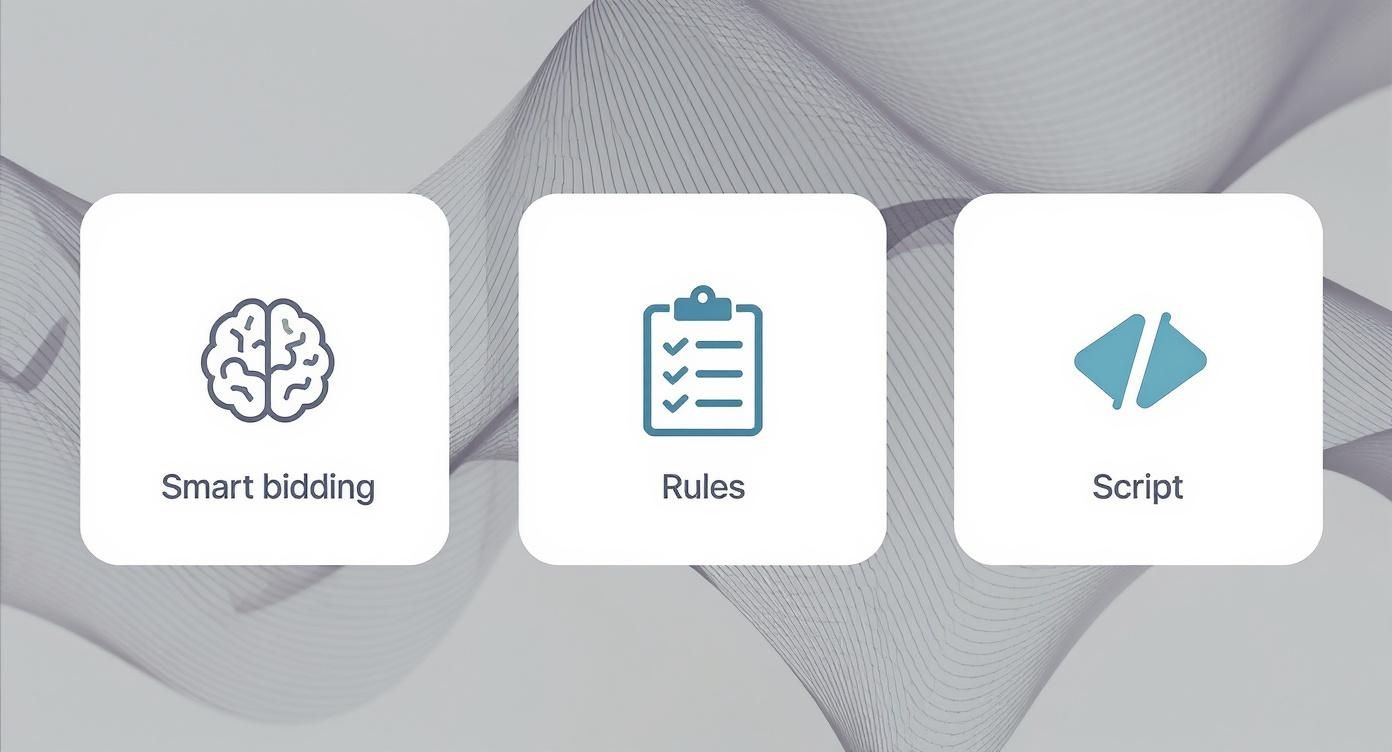
Each level builds on the one before it, giving you more granular control as your campaigns and needs get more complex.
Implementing Essential Safety Nets
Let’s be honest: even the smartest AI can get it wrong sometimes. That’s why building in safety nets isn’t just a good idea—it’s non-negotiable. These are your manual guardrails that keep your budget safe from any algorithmic hiccups or wild market swings.
A critical safety net is setting a maximum CPC bid limit, even when you're using an automated bidding strategy. While Smart Bidding is doing its thing, a max CPC cap stops the algorithm from bidding a truly insane amount for one click during a weird auction. For a competitive legal keyword, you might be comfortable with the algorithm bidding up to $150, but you cap it at $250 just to prevent those terrifying outliers.
Another non-negotiable is using shared negative keyword lists across all your relevant campaigns. This is your insurance policy. As the AI explores new search queries to find clients, your negative list ensures it doesn’t start wasting money on consistently garbage traffic.
The mantra here is "trust, but verify." You have to give the automation enough room to learn and do its job, but always have manual controls that define the absolute boundaries of its decision-making. This protects your budget and makes sure the AI is always operating within your firm's strategic goals.
This idea of constant improvement is baked right into Google's DNA. The platform is always evolving based on advertiser feedback and performance data. As Google Ads approaches its 25th anniversary in October 2025, it’s a world away from the old manual model, now operating with an AI-first mindset. For example, the release of Google Ads Editor 2.10 on July 8, 2025, finally brought much-needed campaign-level negative keyword controls to Performance Max. With Google rolling out over 90 quality enhancements that have driven conversion increases beyond 10% in the past year alone, it’s clear these tools are only getting better.
By combining a smart rollout with sharp monitoring and solid safety nets, you create a system that's both powerful and controlled. It lets your firm get all the benefits of automation while keeping the risks in check, ensuring your ad spend is always working as hard as possible to bring in valuable cases.
Navigating Advertising Rules for Law Firms
https://www.youtube.com/embed/54z37ewS5zA
Automating your Google Ads can feel like putting your firm’s marketing on autopilot, but for lawyers, that convenience comes with a huge catch: responsibility. The legal world is bound by a strict code of advertising ethics from state bar associations, and those rules apply to every single ad your automated systems create.
Let's be clear—an AI-generated headline is held to the same standard as a TV commercial. Getting this wrong isn't just a marketing misstep; it can lead to serious ethical violations and put your license at risk.
The guiding principle is simple: you can't mislead people. Automation tools, especially dynamic platforms like Performance Max, are built to mix and match headlines and descriptions to find winning combinations. While that’s fantastic for performance, it can easily spit out an ad that makes a prohibited claim or guarantees an outcome.
Don't Let Your Ads Make Promises You Can't Keep
Your state bar has a long list of words and phrases that are off-limits in legal advertising. Your automation tools don't know this list, so it's on you to make sure they stay within the lines.
Certain types of claims are immediate red flags for any ethics committee. These often involve absolute statements or promises of a specific result.
- Never guarantee success: Anything that sounds like "we guarantee a win" or claims a 100% success rate is a fast track to a disciplinary hearing.
- Avoid superlatives: Calling yourself "the best personal injury lawyer in Chicago" is a classic mistake. If you can't objectively prove it, you can't say it.
- Be careful with "specialist" or "expert": Many states regulate these terms. Unless you hold a specific board certification that your state bar recognizes, you generally can't use them.
The speed and scale of automation demand a new level of vigilance. An AI might create a headline like, "Get the Maximum Settlement You Deserve," because it gets a lot of clicks. But that phrase can easily be interpreted as a promise. The only way to catch these subtle but critical issues is with consistent human oversight.
The Non-Negotiable Weekly Ad Review
In campaigns like Performance Max, you hand the keys over to Google’s AI, which builds ads on the fly using the assets you provide. This means you have to actively check what it's creating.
Make it a non-negotiable part of your weekly routine to dive into the "Combinations" report in your asset group details. This is where you can see the exact ads being shown to potential clients. Set a recurring calendar reminder for this task. It’s the only way to ensure an unapproved or unprofessional ad variation isn't running wild, damaging your firm's reputation.
This is just one of many ethical considerations every lawyer should know about PPC advertising, which is why diligent oversight is so critical.
Smart Tactics for Ethical Targeting
True compliance goes beyond just ad copy. It’s also about making sure your ads are seen by the right people. You don’t want to waste money on irrelevant clicks that bring in unqualified leads. Here, you can actually use automation’s precision to your ethical advantage.
Build an Ironclad Negative Keyword List
Your negative keyword list is your first line of defense. Think of it as a set of guardrails that stops your ads from appearing for searches that are a waste of time and money. For a personal injury firm, you should be proactively blocking terms related to:
- DIY legal help: "how to represent myself in court"
- Legal researchers: "case law for slip and fall"
- Job seekers: "paralegal jobs," "attorney salary"
- Minor incidents: "small fender bender lawyer"
By constantly refining this list, you guide the automation toward people who actually need your help, which is a much more ethical way to spend your marketing budget.
Use Audience Exclusions to Sharpen Your Focus
In the same vein, you can use audience data to prevent your ads from being shown to certain groups. For instance, you should absolutely exclude audiences of law students or people whose online behavior suggests they work in the legal field.
This ensures your ad spend is focused squarely on potential clients, not your peers or future competitors. It’s a powerful and responsible way to put automation to work for your firm.
Answering Your Top Automation Questions
When you start digging into Google Ads automation, you're going to have questions. That's a good thing. It means you're thinking critically about the shift from hands-on-the-wheel management to letting algorithms do some of the driving. Let's tackle the big ones I hear most often from law firm marketers.
Getting these answers straight is the difference between a smooth transition and hitting a bunch of frustrating, and potentially expensive, potholes.
How Long Does the Smart Bidding Learning Period Last?
You’ll typically see Google's Smart Bidding "learning period" last about 5-7 days. This is the time right after you flip the switch on a new bid strategy or make a major change to a campaign. Behind the scenes, the algorithm is frantically processing data, trying to figure out what works for your specific ads and your specific audience.
It's absolutely critical to keep your hands off during this phase. I mean it. Don't tweak budgets, don't change your CPA targets, and don't swap out ad copy. Any significant change can hit the reset button, forcing the system to start its learning process all over again. For law firm campaigns, which often see fewer conversions per day, don't be surprised if this stretches out to two full weeks.
Patience is probably the most underrated skill in PPC management. You have to give the system enough rope to work with before you start judging performance. Making knee-jerk changes during the learning period is a classic, costly mistake.
Can I Still Use Manual Bidding in an Automated World?
Absolutely, but its role has changed. Manual CPC bidding still exists, and it gives you ultimate control, but its practical use cases are getting pretty narrow. It can be a smart move for tiny, hyper-focused campaigns where you need to set an exact bid for a few "must-win" keywords and not a penny more.
But let's be realistic—for almost everything else, automated bidding strategies are going to run circles around manual efforts. They're crunching thousands of signals in real-time for every single auction—device, location, time of day, user intent signals you can't even see. No human can possibly compete with that speed and scale.
Here's a battle-tested way to launch new campaigns:
- Start with Manual or Enhanced CPC. This lets you get a feel for the landscape and gather some baseline performance data without the algorithm making too many assumptions.
- Build a Solid Conversion History. Your goal is to get at least 15-30 conversions within a 30-day period. This gives the algorithm something meaningful to work with.
- Switch to Smart Bidding. Once you have that data foundation, you can confidently switch over to a strategy like Maximize Conversions or Target CPA.
This approach gives you the control you need at the start while setting the campaign up for powerful, data-driven automation later on.
What Is the Biggest Mistake to Avoid When Automating Ads?
The single biggest—and most expensive—mistake is treating automation as a "set it and forget it" solution. It's a powerful assistant, not a replacement for your brain or professional judgment.
Trusting the algorithm blindly without checking in on performance or reviewing the ad copy it might generate is a recipe for disaster. You can burn through your budget in a hurry, or worse, run into serious brand safety problems. For law firms, where advertising compliance is no joke, the stakes are even higher.
You need a regular check-in cadence, at least weekly. Look at your core metrics: CPA, conversion volume, impression share. Is the automation still doing what you hired it to do? Is it still aligned with your firm's goals for bringing in new clients?
Think of it this way: automation is your co-pilot. It can handle the incredibly complex, split-second adjustments with a speed and precision you can't match. But you are still the pilot. You set the destination, you monitor the flight path, and you have to be ready to grab the controls if you hit unexpected turbulence.
At RankWebs, we provide law firms with the insights and frameworks needed to build smarter, more effective marketing strategies. Discover how to combine AI-driven tools with proven legal marketing principles to drive sustainable growth for your firm. Visit us at https://rankwebs.com to learn more.