


Think of an AI answering service for law firms as your firm's always-on, digital front desk. It's a sophisticated system that uses artificial intelligence to do more than just take messages. It answers calls, qualifies potential clients, and even kicks off the intake process, 24/7. This means no call ever goes to voicemail, which is a game-changer for capturing valuable cases outside of standard business hours.
Why Every Missed Call Is a Lost Case
Imagine this: it's 8 PM on a Friday. A potential client, just in a car accident and feeling overwhelmed, finds your firm online. They call, desperate for guidance, but get a generic voicemail. What do they do? They don't leave a message. They hang up and call the next lawyer on the list—and you just lost a case.

This isn't a rare occurrence; it's a daily reality for small and mid-sized firms, especially in competitive areas like personal injury law. Your clients don't operate on a 9-to-5 schedule, and when they need help, they need it now. Every unanswered ring is more than a missed call—it’s a direct hit to your bottom line, wasting the marketing dollars you spent to make the phone ring in the first place.
The High Cost of the Responsiveness Gap
That delay between when a client reaches out and when your firm finally responds is what we call the "responsiveness gap." It's where good leads go to die. Today's clients, especially those in distress, expect an immediate connection and the reassurance that someone is ready to help.
The numbers are pretty stark. One industry study found that a shocking 60% of law firms failed to answer their phones, with only 40% actually picking up. This is a massive vulnerability, especially when other data shows that responding to a legal lead within five minutes can boost conversion rates by an incredible 400%. Speed isn't just a nicety; it's your most powerful client acquisition tool.
Moving Beyond Voicemail
Let's be blunt: voicemail is where potential clients go to hang up. They rarely leave a message because it's easier to simply dial a competitor who will actually answer. This is precisely why an AI answering service for law firms is no longer a luxury—it’s an essential piece of your firm's infrastructure. It keeps your front door open, even when the office is closed.
An AI answering service doesn't just answer calls. It actively captures and qualifies leads, turning what would have been a missed opportunity into a scheduled consultation. It's the difference between an empty voicemail box and a new, high-value client.
This technology isn't here to replace the skilled people in your firm. It's designed to supercharge them. By handling the initial, repetitive screening and information gathering, it frees up your paralegals and attorneys to focus on what they do best: practicing law. You can dive deeper into how these systems streamline the first touchpoint in our guide to AI intake for law firms.
Human vs AI Answering Service At a Glance
To see the difference clearly, let's put the traditional approach side-by-side with a modern AI solution.
| Feature | Traditional Human Receptionist | AI Answering Service |
|---|---|---|
| Availability | 8-12 hours/day, weekdays | 24/7/365, including nights, weekends, holidays |
| Cost | Salary + benefits ($35k-$50k+) | Low, predictable monthly subscription |
| Scalability | Limited to one call at a time | Handles unlimited simultaneous calls |
| Lead Capture | Only during business hours | Captures every call, anytime |
| Data & Analytics | Manual tracking, if any | Detailed call logs and performance metrics |
| Consistency | Varies with mood and workload | Perfectly consistent every single time |
| Instant Response | Dependent on availability | Immediate, every time |
The table makes it clear: while a great human receptionist is invaluable during office hours, an AI service fills the critical gaps where most potential clients are lost—after hours, on weekends, and during holidays. It's not about replacement, but about reinforcement.
How AI Answering Services Actually Work for Lawyers
Let's pull back the curtain on how this technology really functions in a legal setting. It’s easy to think of an AI answering service for law firms as just another chatbot, but that’s selling it short. A better way to think about it is like having a hyper-efficient intake paralegal—one who works 24/7, never gets tired, and follows your instructions to the letter.
This isn’t about a simple, pre-programmed script. We’re talking about a multi-layered system designed to be the intelligent front door to your practice, and it all starts with understanding the person on the other end of the line.

Figuring Out What a Caller Really Needs
The first job—and the most important one—is to simply understand. When a potential client calls your firm, often stressed and unsure what to say, the AI uses Natural Language Processing (NLP). This is the same core technology behind assistants like Siri or Alexa, but fine-tuned for the legal world.
NLP allows the system to grasp the intent behind the words. It can tell the difference between someone describing a “fender bender on the freeway” and someone asking about a “slip and fall at the supermarket.” It’s trained to pick up on the specific terms and subtle cues that a generic bot would completely miss.
Even better, the system is customized for your firm's practice areas. It knows precisely which qualifying questions to ask to see if a potential case aligns with the work you do, acting as an incredibly effective first filter.
Smart Routing and Escalation
Once the AI understands the caller's situation, it has to decide what to do next. This is where intelligent routing and pre-defined rules come into play. You’re in control here.
- Urgent Matters: A caller mentions a fast-approaching statute of limitations? The AI can be programmed to immediately escalate and transfer the call directly to a specific attorney or on-call paralegal.
- New Client Intake: If it's a standard inquiry for a new case, the AI can walk the caller through a complete intake form, gathering all the critical details you need.
- Scheduling a Consultation: Is the caller ready to talk? The AI can sync with your firm’s calendars and book an appointment on the spot.
This is so much more than basic call forwarding. It's an active decision-making process that ensures every single call is handled with the right priority and sent to the right place—whether that’s a human or another automated workflow.
At its core, an AI answering service for law firms combines language understanding with rule-based automation. It listens like a human, qualifies like a paralegal, and organizes information like a perfect administrator.
Seamless Integration and Managing the Data
The final piece of the puzzle is making sure the information actually gets where it needs to go. A truly effective AI service doesn’t just operate in a vacuum; it plugs directly into the software you already use every day.
We're talking about a direct connection to your Client Relationship Management (CRM) or case management platform.
When the AI finishes an intake call, it doesn't just send you a transcript in an email. It can automatically create a new lead or matter in your system, fill in all the contact details and case notes, and even assign a follow-up task to a team member. This completely removes the tedious—and error-prone—task of manual data entry. The result is a clean, seamless flow of information from that very first call, ensuring no potential client ever falls through the cracks.
The Three Pillars of Value for Your Practice
For solo attorneys and small firms, every dollar you spend has to work hard for you. An AI answering service isn't just another piece of software; it's a strategic move that delivers real, measurable results across your entire practice. Think of its value as standing on three core pillars that directly boost your firm's growth and bottom line.

Let's break down how this technology goes way beyond just answering the phone, becoming a powerful engine for winning new clients, keeping them happy, and making your firm run like a well-oiled machine.
Pillar 1: Maximizing Lead Capture
The first and most obvious win is capturing every single opportunity that comes your way. Potential clients, especially in personal injury law, aren't just calling between 9 and 5. A call at 10 PM on a Saturday isn't an interruption—it's often a high-value case you can’t afford to miss.
Without a 24/7 solution, that call goes to voicemail, and you've likely lost that lead forever. An AI answering service means your firm is always open for business. It doesn't just take a message. It actively engages the caller, asks the right initial questions, and qualifies the lead on the spot.
That after-hours call is no longer a missed opportunity. It becomes a scheduled consultation sitting on your calendar when you walk in Monday morning. You can get a deeper look at how this works in our guide on AI-powered lead scoring for attorneys.
Pillar 2: Enhancing the Client Experience
The very first interaction a potential client has with your firm sets the stage for everything that follows. A good AI service delivers a professional, empathetic, and efficient first impression that immediately builds trust.
Here’s how it gets done:
- Instant Engagement: Callers aren't stuck on hold or forced through a confusing phone tree. They get an immediate, helpful response that shows you value their time.
- Multilingual Support: The best services can communicate fluently in multiple languages, like Spanish, breaking down communication barriers and making your firm far more accessible to the community.
- Effortless Scheduling: The AI can see your firm’s calendar availability and book a consultation right then and there, giving callers the instant action they’ve come to expect.
By providing a seamless and supportive first touchpoint, you’re not just capturing a lead—you’re starting the client relationship on the strongest possible footing, which can significantly improve retention and referral rates.
Pillar 3: Boosting Operational Efficiency
This might be the most overlooked benefit, but it's a huge one: massive gains in your firm's day-to-day efficiency. Your team, from paralegals to attorneys, spends too much time on non-billable administrative work, and client intake is a notorious time-drain. An AI answering service automates this entire front-end process.
Instead of your staff fielding calls, asking the same screening questions over and over, and then manually typing that info into your case management system, the AI does it all. This frees up your highly skilled people to focus on the work that actually matters—legal research, case strategy, and high-level client communication.
It's a shift that's already paying off, with 53% of legal professionals reporting positive returns from their AI investments. For a PI practice, these tools connect with systems like MyCase or Lawmatics to automatically create new contacts, book consultations, and sync calendars, all without the risk of manual data entry errors. This automation saves time and ensures your client files are accurate from day one.
Navigating Ethical and Security Responsibilities
Adopting an AI answering service for your law firm is a big step. It's exciting, but it also opens up a new front of ethical and security challenges that you absolutely have to get right. This isn't just about protecting your firm's reputation; it's about fulfilling your core professional duties to your clients. The right technology can be a game-changer, but only if you put the proper guardrails in place.
For a small or mid-sized practice, especially one handling personal injury claims, the stakes couldn't be higher. Every client call is laced with privileged information and, often, protected health information (PHI). This makes compliance a non-negotiable part of the deal.
Preserving Attorney-Client Privilege
Let’s start with the bedrock of our profession: attorney-client privilege. This principle must remain sacred. Any conversation, text, or piece of information handled by an AI service needs to be treated with the same level of confidentiality as a face-to-face meeting in your office.
If your system gets breached, that privileged information is exposed—and the privilege itself could be waived. That's why you have to be absolutely certain any vendor you work with understands the unique, sensitive nature of legal communication. Their data policies are just as important as their tech.
The Unauthorized Practice of Law
Here’s a bright red line your AI can never, ever cross: giving legal advice. An AI answering service is an administrative tool. It's there to screen calls, gather basic facts, and book appointments—not to play lawyer. Your scripts and conversational flows must be meticulously designed to collect information without offering opinions, interpretations, or strategic advice.
For instance, the AI can ask, "Can you tell me more about what happened at the scene?" It absolutely cannot say, "It sounds like you have a clear-cut negligence claim." That distinction is everything. Crossing it puts you squarely in the territory of the unauthorized practice of law (UPL), which brings with it serious ethical and legal heat. To get a better handle on the bigger picture, you can find a solid breakdown of AI compliance and ethics in legal marketing and how these rules apply across all your firm's communications.
The whole point is to create a system that is helpful without being interpretive. Think of it as the perfect intake paralegal—one that fastidiously records information but always defers legal judgment to a licensed attorney.
Data Security and Compliance Mandates
Beyond your ethical duties, there are hard-and-fast legal rules for protecting data. If you're a personal injury firm, HIPAA compliance is a huge one. As soon as a potential client mentions their injuries, you’re dealing with PHI. Any vendor you use must be willing to sign a Business Associate Agreement (BAA) and prove they have the security infrastructure to back it up.
You also have a fundamental responsibility to shield client data from hackers and unauthorized access. This means you need to get under the hood and inspect a vendor's security posture.
Don't even consider a provider unless they can offer these essentials:
- End-to-End Encryption: This scrambles all data—from the moment a client speaks to the second it lands in your system—making it unreadable to anyone else.
- Strict Data Ownership: The contract must state, in no uncertain terms, that your firm is the sole owner of all client data. The vendor can't use it to train their AI models or for any other purpose. It's your data, period.
- Access Controls: The platform must let you decide who in your firm can see call transcripts and listen to recordings. Limiting access on a need-to-know basis is just smart practice.
- Secure Data Storage: The vendor needs to use secure, compliant data centers with redundant backups. Losing client data is not an option.
Picking a vendor isn't just a tech decision; it's a critical part of upholding your duties as a lawyer. To help you vet providers systematically, I've put together a checklist of what to look for.
Vendor Security and Compliance Checklist
Use this table as a guide during your conversations with potential vendors. It will help you ask the right questions and ensure you’re not overlooking any critical compliance or security features.
| Compliance Area | Key Feature to Verify | Why It Matters |
|---|---|---|
| Attorney-Client Privilege | Clear data ownership clause in the contract. | Confirms that all client communications legally belong to your firm and are protected under privilege. |
| Data Privacy (HIPAA) | Willingness to sign a Business Associate Agreement (BAA). | This is a legal must-have for any partner handling Protected Health Information (PHI) in personal injury cases. |
| UPL Avoidance | Fully customizable scripts and conversational flows. | Gives you control over the AI's language to ensure it only gathers information and never offers legal advice. |
| Data Security | End-to-end encryption for all calls and messages. | Protects sensitive client details from being intercepted or accessed by unauthorized third parties. |
Ultimately, a vendor who takes these issues as seriously as you do is the only kind of partner worth considering. Due diligence here isn't just recommended; it's essential.
Your Step-by-Step Implementation Roadmap
Bringing an AI answering service into your firm isn't some massive, complicated IT project. It's actually a very manageable process if you follow a clear plan. With the right approach, even a small or mid-sized practice can get this technology up and running smoothly and start seeing the benefits almost immediately.
Think of it like preparing a case for trial. You wouldn't just show up in court without a strategy. Each step here builds on the last, creating a solid foundation that prevents surprises and sets your firm up for a seamless transition.
Phase 1: Define Your Core Objectives
Before you even think about looking at different vendors, you need to be crystal clear on what problem you're trying to solve. What does a "win" look like for your firm? Setting measurable goals from the very beginning is the most critical step you'll take.
Don't be vague. Get specific. Your objectives might look something like this:
- Slash Missed Calls: We want to cut our unanswered after-hours and weekend calls by 90% within the first quarter.
- Sharpen Lead Qualification: Our goal is to have at least 80% of new callers properly screened against our key case criteria before they ever reach our staff.
- Drive More Consultations: We aim to increase the number of initial consultations booked directly from these calls by 25%.
These aren't just wishful thinking; they're hard targets. They give you a benchmark to measure performance against and will be crucial for proving the ROI later on.
Phase 2: Select the Right Technology Partner
Once you know your goals, you can start vetting vendors. This isn't just about comparing features or who has the lowest price. It's about finding a true partner who gets the immense compliance and security pressures of a law practice. Pull out that security checklist we talked about earlier and use it as your guide.
Make sure you schedule live demos. A pre-recorded video won't cut it. You need to ask them to walk you through a scenario that’s real for your firm, like handling a new personal injury intake call from start to finish. This is where you see if the system can actually perform under pressure.
Your chosen vendor has to be more than just a software provider; they need to be an extension of your firm. They must show an absolute, unwavering commitment to protecting data, upholding attorney-client privilege, and operating within the strict ethical guardrails of our profession.
A trustworthy partner will have a process that prioritizes privilege, privacy, and compliance in every single interaction.
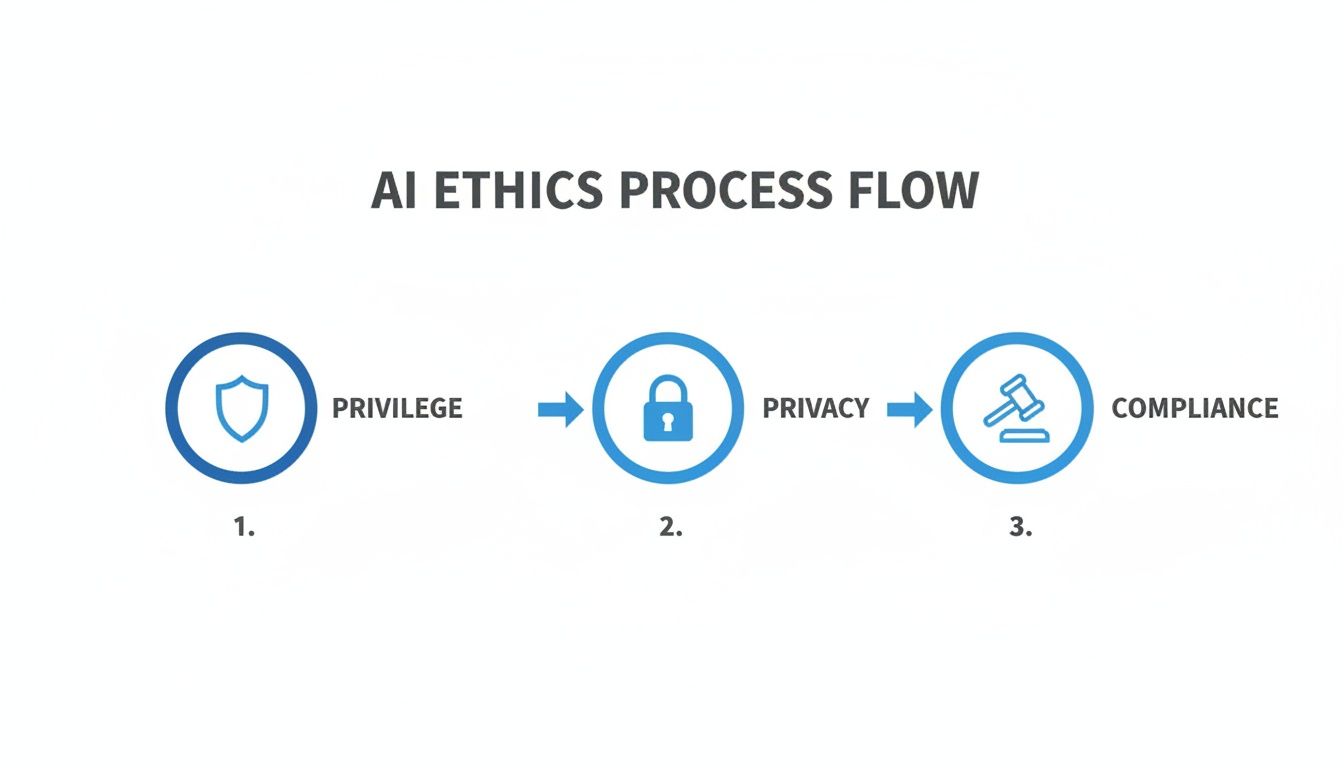
As you can see, every conversation has to be filtered through these three critical lenses. It’s non-negotiable for maintaining your professional responsibility.
Phase 3: Customize Scripts and Escalation Rules
Now it’s time to give the AI your firm’s voice. A generic, out-of-the-box script is a recipe for disaster. You have to customize the conversational flows to mirror your exact intake process and practice areas.
For instance, the questions you'd ask for an auto accident case are completely different from those for a slip-and-fall. You’ll work directly with your vendor to build these custom conversation paths, making sure the AI gathers precisely the information your attorneys need to evaluate a case.
Just as important is defining your escalation rules. Think of these as the AI's "safe words." They are the specific triggers that tell the system to immediately stop and transfer the call to a live human being. An escalation might be triggered by:
- A Keyword: The caller uses a specific legal term like "statute of limitations" or "subpoena."
- Caller Urgency: The caller is clearly in distress or states that their matter is an emergency.
- Specific Request: The caller flat-out asks to speak with an attorney or paralegal.
Well-designed escalation rules are the secret sauce. They create the perfect balance, letting automation handle the routine work while ensuring a human touch is always there for sensitive or complex situations.
Phase 4: Integrate and Test the System
With your scripts dialed in, it’s time to plug the AI into your firm's existing tech. The best providers offer seamless, direct integrations with the case management software you already use, like Clio, MyCase, or PracticePanther.
This is what makes the magic happen. When the AI finishes an intake call, it should automatically create a new lead in your case management system, fill in all the contact details, and attach the full call transcript. This completely eliminates manual data entry and makes it impossible for a promising lead to fall through the cracks.
Before you go live, you have to test everything. And I mean everything. Have your own staff call in, pretending to be potential clients with different types of cases. This is your chance to catch any awkward phrasing in the scripts or find holes in your escalation logic, allowing you to fine-tune the system for a flawless public debut.
Phase 5: Train Your Team and Go Live
The final piece of the puzzle is your team. Everyone—from the front desk to the managing partners—needs to understand how this system works, what its purpose is, and how they will interact with the information it gathers.
Run a quick training session. Show them where to find the call transcripts and notes, and walk them through the process of following up on an AI-qualified lead. When your team sees this not as a replacement but as a powerful tool to make their jobs easier, they'll be on board in no time.
With your team trained and the system thoroughly tested, you're ready. A smart way to start is by forwarding only your after-hours calls to the new service. As you and your team get comfortable, you can gradually expand its role. This phased approach guarantees a smooth and successful rollout.
How to Measure Success and Prove Your ROI
Look, bringing in an AI answering service isn't just about adding another line item to your expenses. It's a strategic move, and like any investment, you need to be able to prove it's actually making you money. A "gut feeling" that it's working won't cut it when you're reviewing the budget.
To justify the cost, you have to track the right numbers—concrete metrics that draw a straight line from the service to your firm's bottom line. It’s not just about counting calls; it’s about understanding how those calls turn into paying clients.
Key Performance Indicators to Track
Getting a real sense of performance means digging deeper than just the total number of calls handled. The most valuable data tells you a story about your firm's efficiency and growth.
Start by focusing on these essential Key Performance Indicators (KPIs):
- Lead Capture Rate: This is your golden metric. What percentage of all incoming calls actually become qualified leads? This number shows you exactly how many opportunities the service is saving from slipping through the cracks.
- Client Conversion Rate: Of all the leads the AI service captures, how many actually sign on the dotted line? This KPI directly connects the intake process to real revenue.
- Cost Per Acquired Case (CPAC): This is where the rubber meets the road. Divide the monthly cost of the service by the number of new cases it brought in. This gives you a hard dollar figure for what it costs to land a client through this specific channel.
Calculating Your Return on Investment
Once you've got those core numbers, calculating your ROI becomes pretty straightforward. A simple formula can put the service’s value into a perspective everyone can understand.
(Value of New Cases + Value of Staff Time Saved) – Cost of Service = Total Return
Think about it this way: if your AI service costs $500 a month but helps you land a single personal injury case worth $10,000, the investment has paid for itself many times over. The financial return is a no-brainer.
But don’t stop there. The "soft" savings are just as important. Think about the hours your paralegals or front-desk staff get back. If the service frees up just 10 hours a month of their time from handling initial calls and scheduling, that’s 10 hours they can now spend on billable work or higher-value tasks. That time is money, and it makes the ROI even more compelling.
Frequently Asked Questions
It’s one thing to understand a new technology in theory, but it’s another to see how it fits into your actual day-to-day practice. Let's tackle some of the most common, practical questions law firm owners have before they bring an AI answering service on board.
Will It Sound Like a Robot?
This is probably the #1 concern we hear, and it’s a fair one. We all have memories of those clunky, automated phone systems from years ago. Thankfully, the technology has come a very long way.
Modern conversational AI is designed to sound incredibly natural. You can fine-tune the voice's tone, pacing, and even the specific vocabulary it uses to perfectly align with your firm's brand. The goal isn't just to answer the phone; it's to create a warm, professional, and empathetic first impression, ensuring a potential client feels genuinely heard. Honestly, a well-programmed AI can often sound more patient and focused than a live receptionist who's juggling three other tasks.
Is This Actually Affordable for a Solo or Small Firm?
Yes, and that’s one of its biggest advantages. For solo attorneys and smaller firms, an AI service is almost always a smarter financial move than hiring a full-time receptionist or relying on a traditional answering service. You get the benefit without the overhead of a salary, benefits, or paid time off.
These services usually operate on a simple, predictable monthly fee. Think about it this way: if the service helps you capture just one solid case from a call that comes in after hours—a call you would have otherwise missed completely—it has likely paid for itself for the entire year. It’s not just a cost; it’s a direct investment in your firm's growth.
How Complicated Is It to Connect With My Existing Software?
The best AI answering services were built with lawyers in mind, so they’re designed to play nicely with the software you already depend on.
A non-negotiable feature should be ready-to-go integrations with the major legal case management platforms. Think Clio, PracticePanther, MyCase, and marketing automation tools like Lawmatics.
This connection is where the magic really happens. When the AI captures a new lead's information, call notes, and intake details, it doesn't just email them to you—it pushes all that data directly and instantly into your case management system. This completely gets rid of manual data entry, which saves a ton of time and cuts down on the risk of typos or lost information. The setup is usually a guided process that takes minutes, not days.
At RankWebs, we provide the insights and frameworks your firm needs to implement strategic tools that drive real growth. Discover more proven strategies at https://rankwebs.com.